HubSpot's "AI-native Solo CRM" is a Flop
HubSpot's directionally correct, LinkedIn automation still stinks, & Cursor's competitor is not bad.
ROUND 7
We are back with edition #007.
This week we are testing HubSpot’s “AI-native solo CRM”, and as the title suggests, it was a massive flop.
However! I will say that this is directionally correct and an indication that the HubSpot team is innovating. Kudos.
This week we also tested Expandi for LinkedIn outreach automation and Orca, a Cursor competitor, for coding agent orchestration.
Really diversifying the tools we tested compared to last week’s Smoke Test, which focused on prospecting tools. Go check out last week’s edition if you haven’t already.
Nonetheless, let’s dive in!
AI-NATIVE SOLO CRM
YouSpot: Grade D
USE CASES
Build a personal CRM from connected business context
Research companies and organize contacts, notes, files, and projects
Chat with a structured second brain
Run GTM apps and long-running agents from one workspace
DESCRIPTION
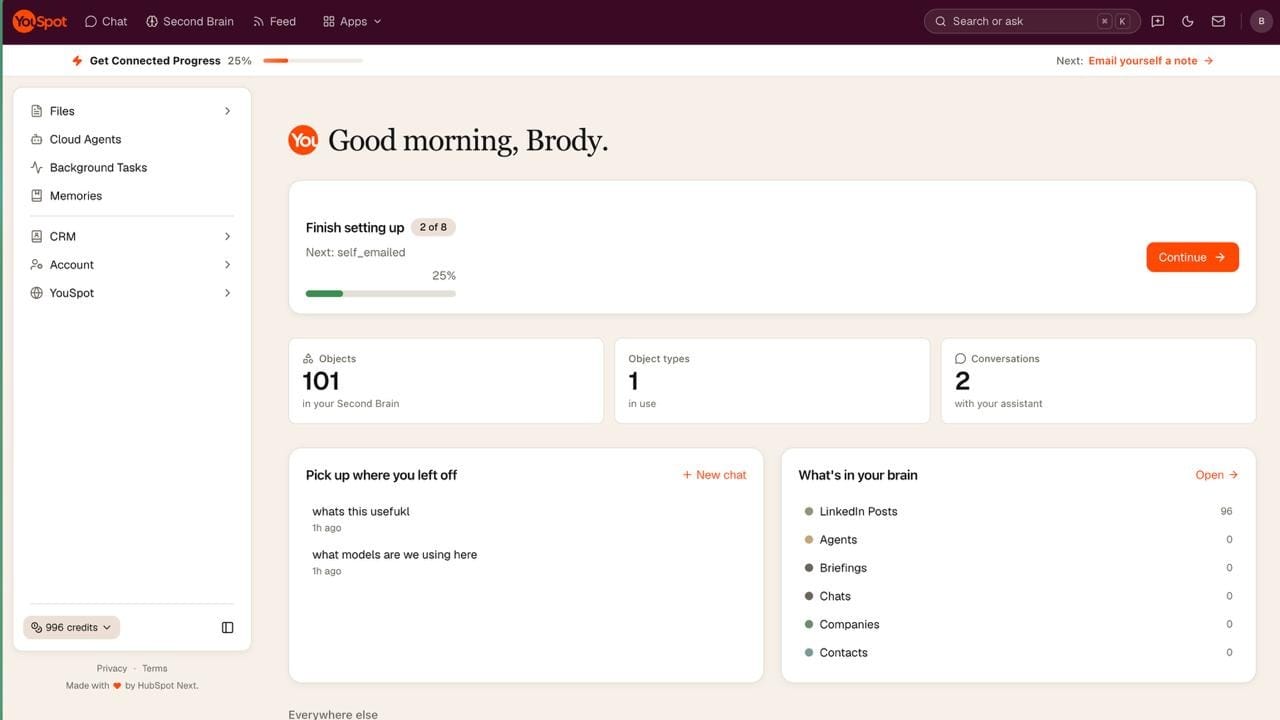
YouSpot is a $10 /mo AI-native CRM and second brain for solo operators. Its current plan advertises 1,000 monthly credits, up to one million objects, three connected mailboxes, multiple model providers, long-running agents, and GTM apps. No freemium. ☹️
The product is still in beta and spawned from HubSpot Next, an internal innovation group.
Many teams are leaning hard into this product space and a simple Google search of “Company Brain” will yield many results. However, in our experience, the only real performance gain folks see from company brains are when they build them custom to their businesses. HubSpot is trying to productize the company brain like they did the CRM…. trying…
REVIEW
I originally sourced this product from a tweet by Dharmesh, HubSpot CTO, and was caught off guard that they shipped this. Innovation coming out of HubSpot? Interesting. The claims from Dharmesh such as “builds the context for you” and “a CRM you don’t have to maintain” had me skeptical and hooked me in for a test.
For starters, I believe the idea behind YouSpot is directionally correct, however, the execution was very poor. It’s become quite clear that everyone will have a personal fleet of agents, and that agent fleet requires quality data and navigable objects to produce results and execute tasks. The latter is what HubSpot does well.
On the other hand, some of the key features don’t even work and the UI was sloppily pieced together. Let’s just go down the list of errors I experienced within 5 minutes of testing the product:
First manual contact creation returned a status 500 and I was unable to manually add a contact.
An active chat answer disappeared when I navigated away from the page.
No public REST API for repeatable Markdown, CSV, project, or structured-context ingestion.
Company research feature didn’t source information like key contacts, despite testing this on a well-known, very publicly visible company like Anduril.
There was a long list but I won’t belabor the point further. At $10 bucks, I knew it had to be too good to be true. The direction is right but the current product is not ready to replace a custom built CRM, research workflow, or company brain.
> Brody
VERDICT: D
Do not recommend in its current beta. Revisit after basic CRM reliability, persistent agent work, and programmable ingestion improve.
LINKEDIN OUTREACH
Expandi: Grade C-
USE CASES
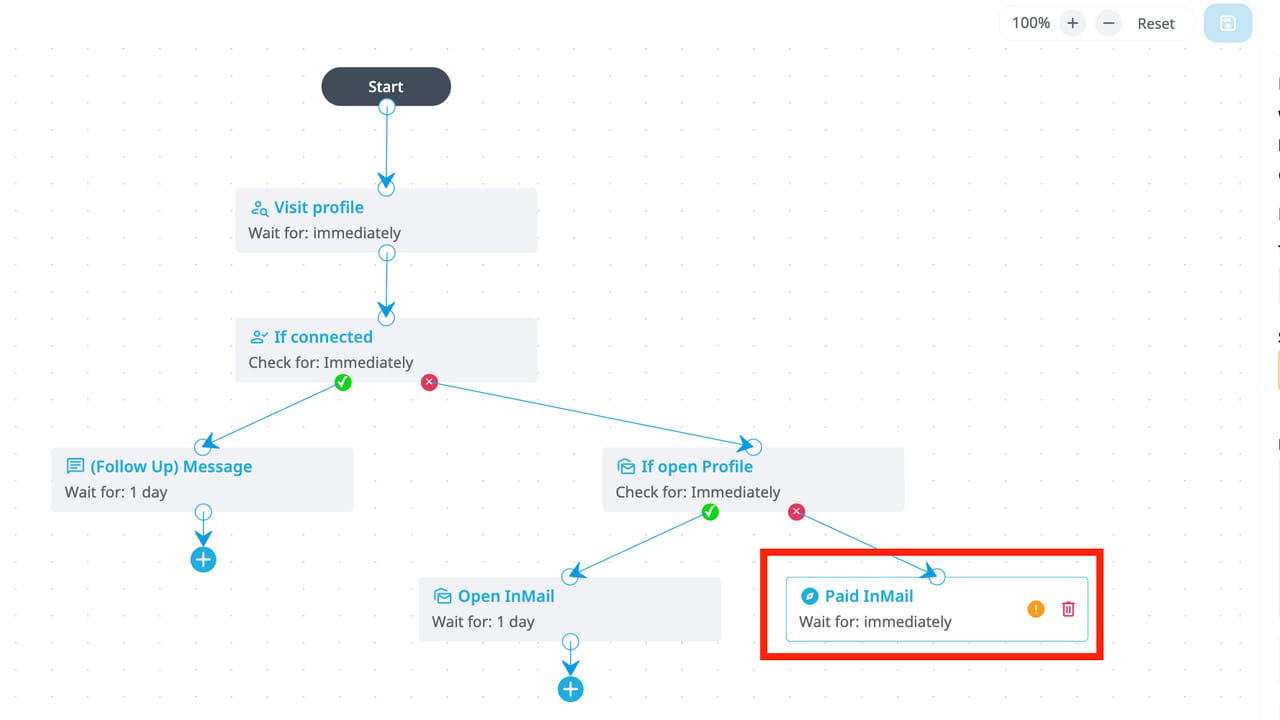
Automate LinkedIn connection requests and follow-ups on a mapped decision tree
Pull post commenters into a campaign by keyword
Warm a LinkedIn account before heavier outbound
Run multi-account outreach from one inbox
Sync LinkedIn activity to HubSpot, Pipedrive, or Salesforce
View profiles and endorse on a cadence for better engagement
Description
Cloud based LinkedIn automation with a dedicated IP per account. Eleven campaign types, but the one that matters is Builder, a drag and drop decision tree with branches for accepts, replies, and ignores. Signals auto-fills campaigns from post engagement, profile visits, and page visits.
Real monthly price is $99 per seat, $79 if you prepay the year, and a seat means one LinkedIn account. Visitor signals require LinkedIn Premium or Sales Navigator on top of that. Seven day trial.
REVIEW
Three years ago, this would have been a top tier tool. The fundamentals still work: the flowchart is straightforward once you climb the learning curve, the keyword play that pulls in everyone who commented on a post is clever, and the safety engine is genuinely good. Fourteen day warm-up, daily caps, quiet withdrawal of ignored requests.
The problem is every touch reads like a campaign, because the tool gives you no room to make it truly custom. The AI personalization is a prompt capped at 275 characters, it doesn't run in Connector campaigns at all, and you're stretching one or two hooks across an entire sequence. Customizing off enrichment barely exists, and wiring an agent in means stringing webhooks together because there's no real API surface. The docs are basically nonexistent, which is a major problem.
The math and the risk finish it. $99 per account scaling linearly, Sales Nav stacked on top, and it gets expensive fast. Then the existential one: in a few recent G2 reviews, some users credit Expandi for keeping their account unflagged while others got restricted and lost their connections. Same tool, similar timeframe, opposite outcomes.
Where to go instead. HeyReach if you're running multiple accounts: rotation across senders, roughly $36 per account at five seats, and an actual MCP so your agent drives it natively. Waalaxy's free tier for solos testing the channel. Dripify for a cheaper, simpler cloud drip.
> Jake
VERDICT: C-
The warm-up engine is nice and the flowchart is fun to build. But at $99 per account for sub par outreach, either run LinkedIn manually with real context, or pick a tool your agent stack can actually drive.
CODING AGENT ORCHESTRATION
Orca: Grade B+
USE CASES
Give each coding task its own Git worktree and branch
Run multiple coding agents without overlapping file edits
Track agent tasks, dependencies, terminals, and worker questions
Keep the default branch clean while work continues in isolation
DESCRIPTION
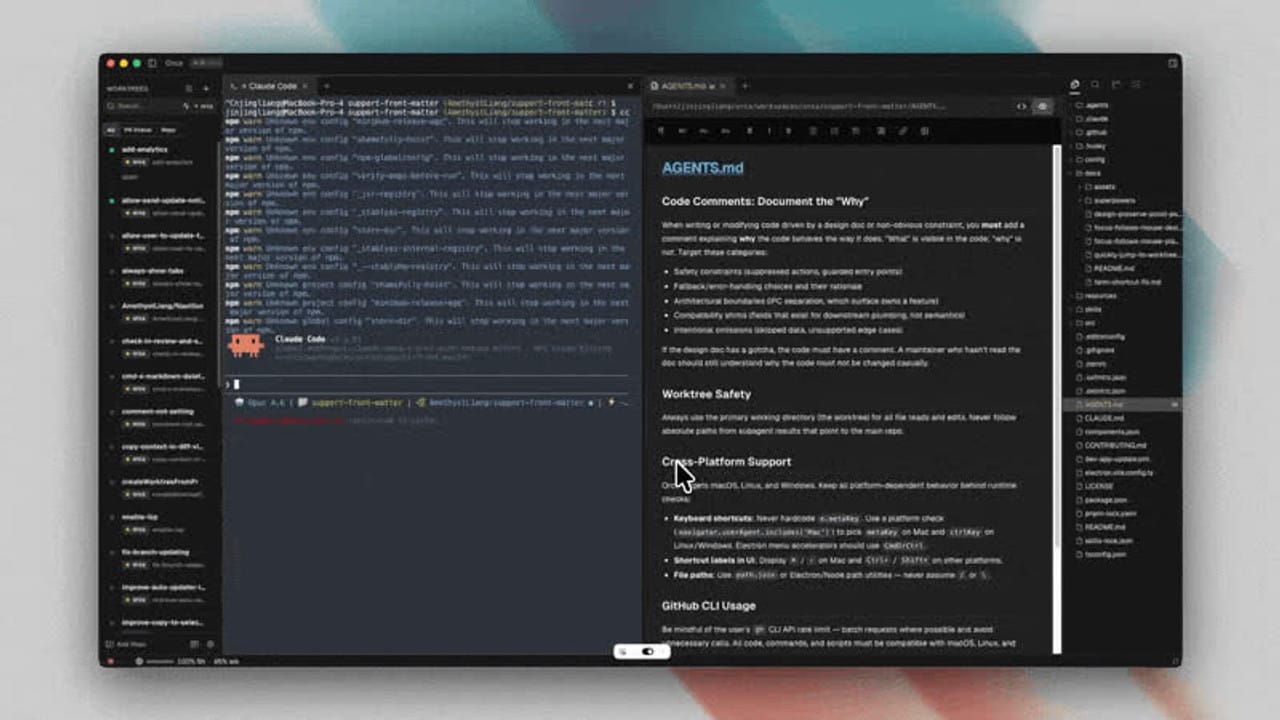
Kinda like Cursor, Orca is an open-source agent development environment (ADE) built around Git worktrees. It organizes repositories, task-scoped workspaces, terminals, Runs, and agent dispatch from one control surface. The app is free and the agents still used our existing Claude Code and Codex subscriptions.
REVIEW
I departed from Brodus for the day and decided to put Orca into a live client environment after two coding-agent sessions left me with branches across disconnected histories and overlapping document edits… Of course, this was by design… no fault of Brodus!
Orca did well! It created three clean task worktrees from the default branch, and that collision problem did not recur, so I kept using it to complete the outstanding backlog of tasks.
Alas, I started to run into a few issues. Getting the orchestration setup was a pain. I created one Run and one fully specified task, then attempted three worker dispatches across Claude Code and Codex. Zero workers started because the permissioning gates were so aggressive and Orca surfaced those prerequisites only after the Run, task, and worktree already existed. It also required an attributable sender terminal that was not obvious until failure… I wasted quite some time trouble shooting this, but I pushed through
After setup, the product worked smoothly, and I finished some quality work. It was easy to spin up worktrees, triage the action items, assign those to agents within their designated worktree lanes, and also loop in Codex for the the final eval.
Actually, I am still in Orca testing and finalizing this project. I haven’t been enticed to move back to Brodus yet. In that case, I’d say Orca is pretty nifty.
> Brody
VERDICT: B+
Use Orca for worktree isolation. Add orchestration only when the job has enough real concurrency to justify the extra state and setup.
YOUR TURN
Which company brain, coding agent, or GTM tool should we put through a real workflow next?
Hit reply with the tool, the outcome you want, and what you want us to test, compare, or break, please!
> Brody & Jake
ATX LOGIC. AUSTIN, TX

Powered by beehiiv